• CASIO
  • Operation Guide

  •  
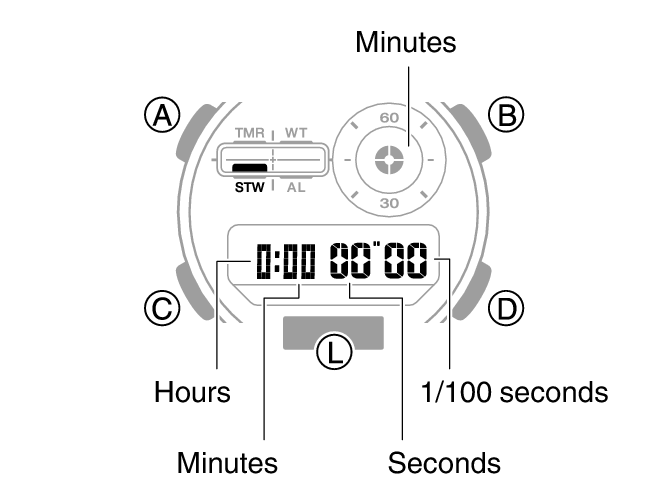
  • Stopwatch
  • Measuring Elapsed Time

Module No. 5735

Measuring Elapsed Time

  1. Enter the Stopwatch Mode.

  2. Navigating Between Modes
  3. Use the operations below to measure elapsed time.

  4. fl_stw_D_btn_sstrsst_new
    5735_27_STW_comon
  5. Press (B) to reset the stopwatch to all zeros.

  • Stopwatch
    • Starting Time Measurement Directly from the Timekeeping Mode
    • Measuring Elapsed Time
    • Measuring a Split Time
    • Timing the First and Second Place Finishers
    • Using the Target Time Alert

      • Overview
      • Specifying a Target Time
      • Measuring Elapsed Time with the Target Time Function
      • Stopping the Target Time Alert
      • Disabling the Target Time Function

Back

Next

Home

Print this page

  • Terms of Use

© 2024 CASIO COMPUTER CO., LTD.