About This Watch
This section provides an overview of the watch and introduces convenient ways it can be used.
Watch Features
The light flashes for about 20 seconds when the specified time is reached.
The light also flashes at the top of every hour on the hour.
Dual Time lets you keep track of the current time in another time zone in addition to your current location’s time.
Measure up to 60 minutes of elapsed time in units of 1/100 of a second.
Note
The illustrations included in this operation guide have been created to facilitate explanation. An illustration may differ somewhat from the item it represents.
General Guide
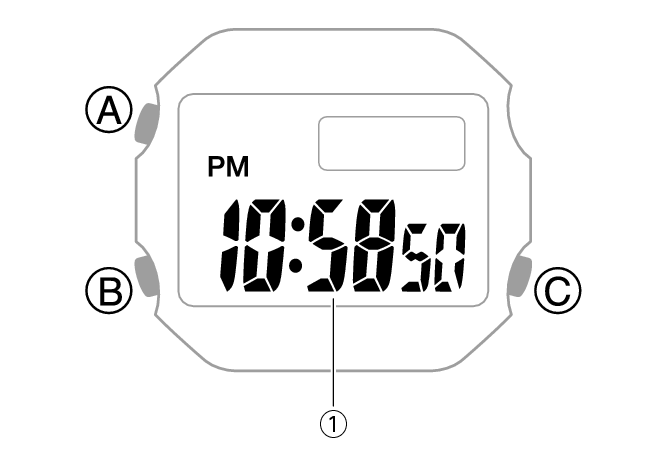
-
Hour, minute, second
A button
Holding down this button for at least two seconds in any mode displays the setting screen.
B button
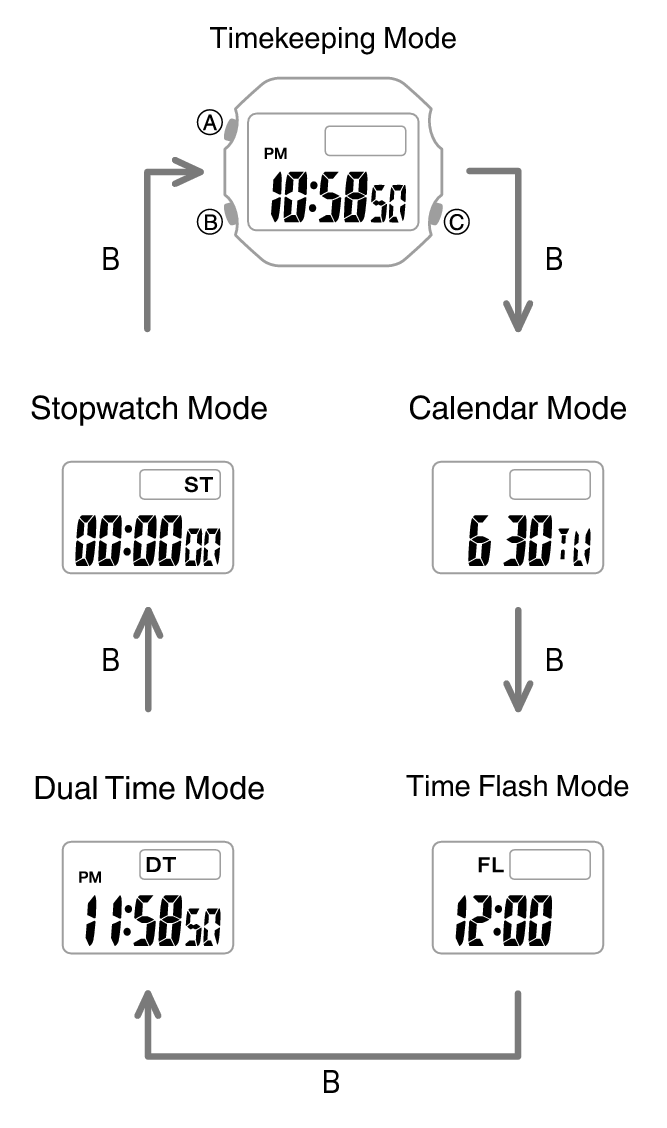
Each press cycles from one mode to the next.
Pressing this button while any setting screen is displayed will change the setting.
C button
Press to turn on illumination.
Indicators
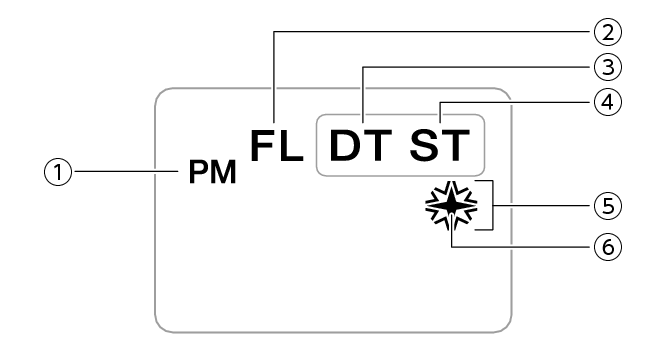
-
Displayed during p.m. times while 12-hour timekeeping is being used.
-
Displayed while in the Time Flash Mode.
-
Displayed while in the Dual Time Mode.
-
Displayed while in the Stopwatch Mode.
-
Displayed when Time Flash is turned on.
-
Displayed when Hourly Time Flash is turned on.
Navigating Between Modes
Each press of (B) cycles between watch modes.
Changing modes causes the light to turn on momentarily.
The light may not be visible when ambient lighting is bright.
Viewing the Face in the Dark
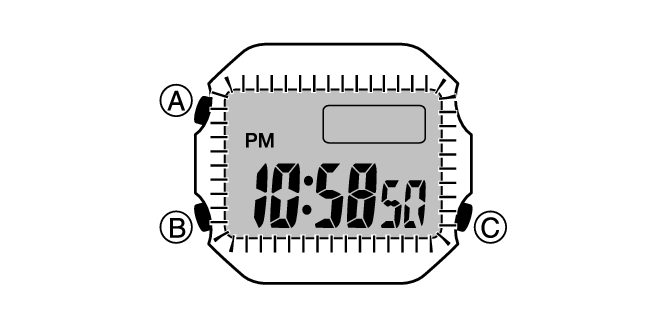
The watch has a light that illuminates the face for viewing in the dark.
Turning On Display Illumination
Press (C) to turn on illumination.
Important!
Frequent use of illumination will run down the battery.