
Module No. 5751
General Guide
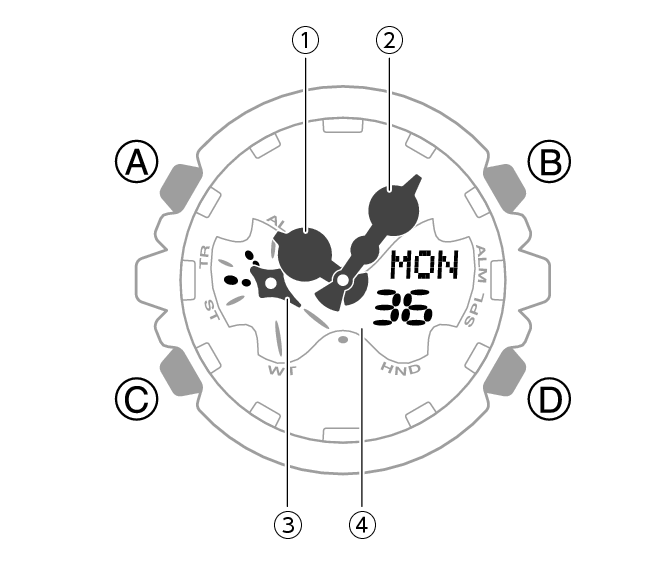
-
Hour hand
-
Minute hand
-
Mode hand
-
LCD
Indicates the current mode.
A button
Holding down this button for at least two seconds in the Timekeeping Mode displays the setting screen.
Pressing this button while any setting screen is displayed exits the setting screen.
B button
Press to turn on illumination.
Pressing this button while any setting screen is displayed will change the setting.
C button
Each press cycles between watch modes.
In any mode, hold down this button for at least two seconds to return to the Timekeeping Mode.
D button
Pressing this button in the Timekeeping Mode cycles between displays.
Pressing this button while any setting screen is displayed will change the setting.
Important!
The minute hand of this watch is designed to be normally fixed in place by magnetic force.
Because of this, shock or vibration can cause the minute hand to oscillate.
The minute hand may also become momentarily displaced by shock, vibration, or strong magnetism. However, it will return to its normal position within a few minutes.