
Module No. 5734
Viewing the Face in the Dark
The watch has an LED light that you can turn on for reading in the dark.
Turning On Illumination
Press (B) to illuminate the face and digital display.
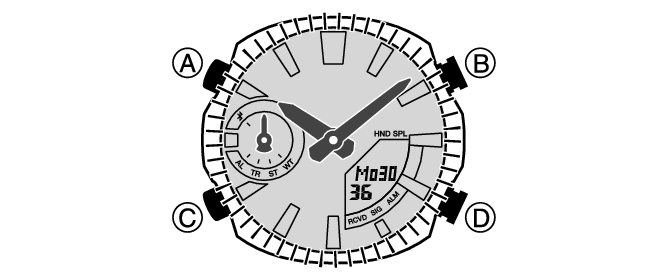
Illumination will turn off automatically if an alarm starts to sound.
Illumination is disabled while the hands are moving at high speed.
The light may flicker when it turns on or off.
Important!
Frequent use of illumination runs down the battery.
Note
Display illumination is disabled when any one of the conditions below exists.
Alarm, timer alert, or other beeper sounding
Specifying the Illumination Duration
You can select either 1.5 seconds or three seconds as the illumination duration.
-
Enter the Timekeeping Mode.
-
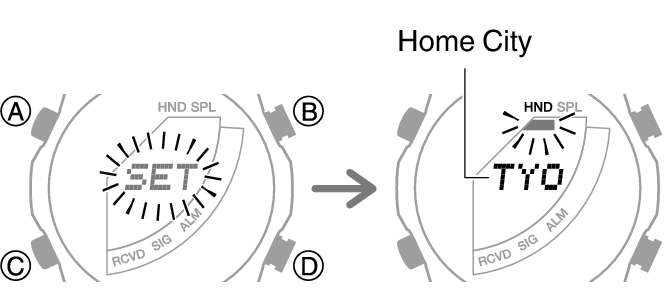
Hold down (A) for at least two seconds until the name of the currently selected Home City is displayed.
-
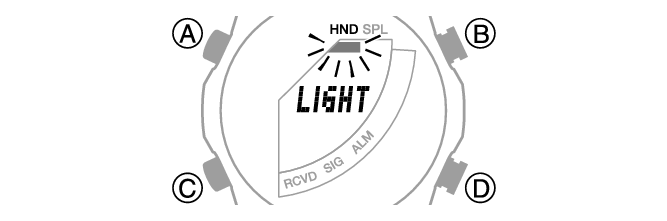
Press (C) 11 times to display [LIGHT].
-
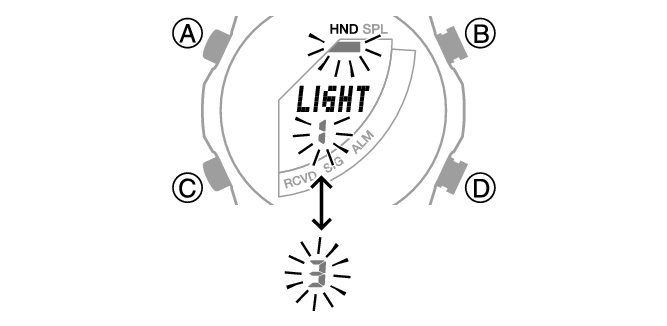
Press (D) to select an illumination duration.
-
Press (A) to exit the setting screen.
This is the setting mode. The hands automatically shift out of the way for easy viewing of the display and other indicators.
[1]: 1.5-second illumination
[3]: 3-second illumination
Note
While the setting is being configured, the watch will exit the setting operation automatically after about two or three minutes of non-operation.