

Checking the Receive Operation Result
You can use the procedure below to check the result of the last GPS or time calibration signal receive operation.
Getting Ready
Enter the Timekeeping Mode.

-
1.Press (B).
-
The second hand will move and indicate the receive operation result.
“Y (YES)”: Receive successful
“N (NO)”: Receive failedThe mode hand indicates details about the receive (acquisition) operation.
“P”: Time information and position information (GPS signal)
“N”: Time information (GPS signal) or time calibration signal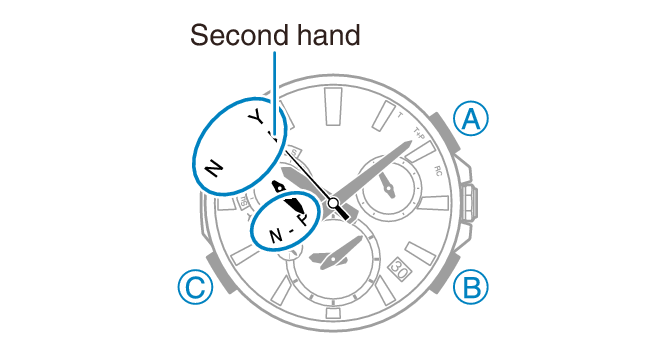
-
2.Press (B) or do not perform any operation for one or two seconds to return to the current time.
