

Adjusting the Time and Day Setting
-
1.Pull out the crown to the second click.
-
The second hand will move to the currently selected city code.
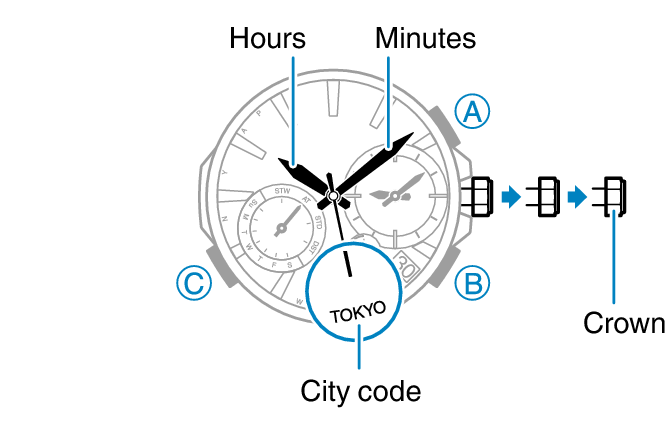
-
2.Hold down (C) for about two seconds.
-
This causes the second hand to move to “A” (am) or “P” (pm), which indicates the minute setting operation.
-
3.Rotate the crown to change the minute setting.
-
4.Press (C).
-
The hour hand will move slightly, indicating that the hour setting operation is enabled.
-
5.Rotate the crown to change the hour setting.
-
6.Press (C).
-
This changes to the year setting operation.
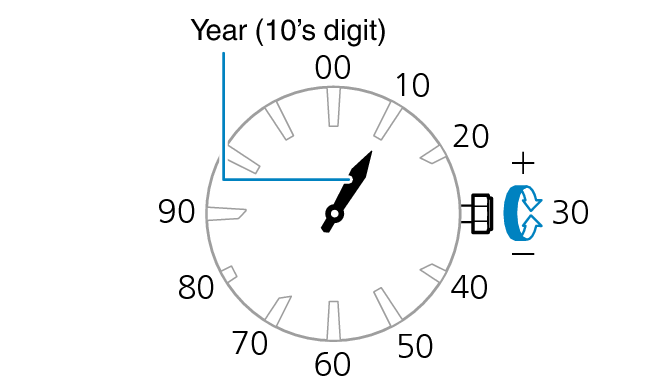
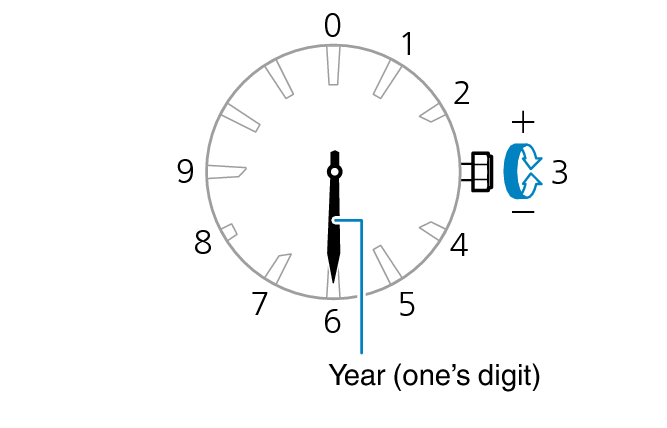
-
7.Rotate the crown to move the hour hand to the desired setting for the year ten’s digit, and the minute hand to the desired one’s digit.
-
8.Press (C).
-
This enables the month setting operation.
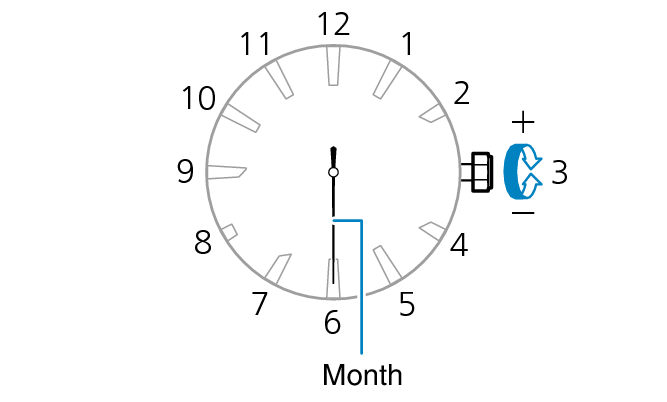
-
9.Rotate the crown to change the month.
-
10.Press (C).
-
The mode hand will move slightly, indicating that the day setting operation is enabled.
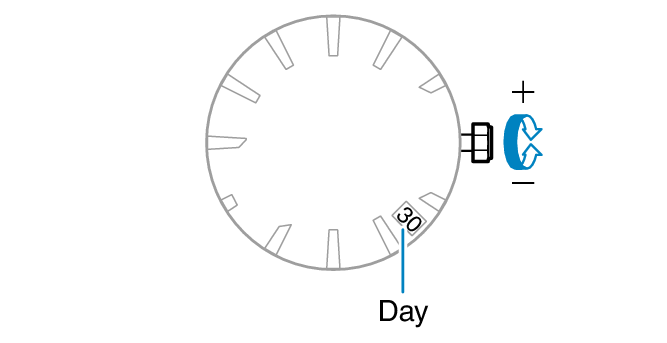
- Changing the date setting will cause the mode hand to rotate repeatedly.
 Changing Hand and the Day Indicator Settings
- Changing the date setting will cause the mode hand to rotate repeatedly.
-
11.Rotate the crown to change the day.
-
12.On a time signal at the top of a minute, push the crown back in.
