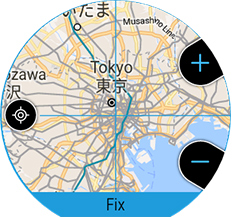
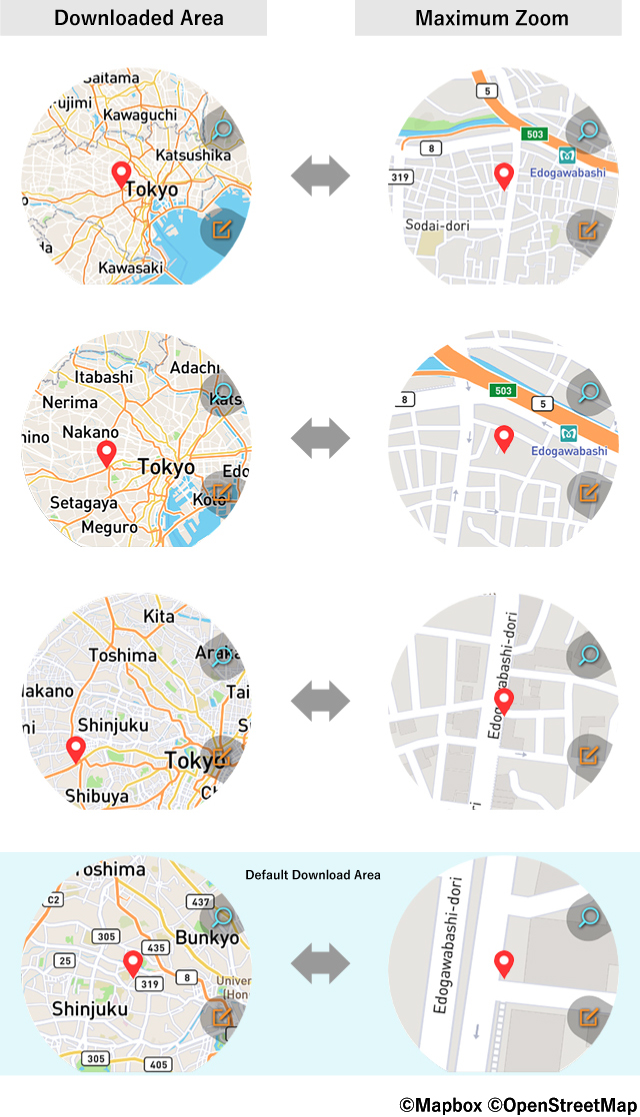
The degree to which you can zoom an off-line map depends on the map range that you downloaded.
Specify the range of the map and download it in accordance with the objectives of your outdoor activities, referring to the figure below.
The words "Fix" are displayed at the bottom of the download screen.
While this screen is displayed, use the "+" and "-" buttons on the right side to specify the download range.
Downloaded map data can also be used with the Map app.
• An entire continent and other wide-area map data cannot be downloaded.
• The map range that can be downloaded depends on the region.
• There is a maximum of seven zoom levels.
• Because of the large amount of data required, there are two zoom levels for satellite photos.
• The map is downloaded based on the range displayed on the download screen (the data actually downloaded may be wider than the displayed range).
• To download maps, your CASIO apps must be updated to their latest versions.
Click here for details.