Using CALC
CALC lets you save calculation expressions that contain variables, which you can then recall and execute in the COMP Mode and the CMPLX Mode.
The following describes the types of expressions you can save with CALC.
Expressions: 2X + 3Y; 2AX + 3BX + C; A + Bi
Multi-statements: X + Y : X(X + Y)
Equations with a single variable on the left and an expression including variables on the right: A = B + C; Y = X2 + X + 3
(Use 
 (=) to input the equals sign of the equality.)
To start a CALC operation after inputting an expression, press the key.
Example 1: To store 3A + B and then substitute the following values to perform the calculation: (A; B) = (5; 10), (7; 20)
- 3
 (A)
(A)
 (B)
(B) 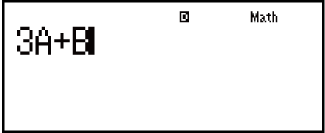
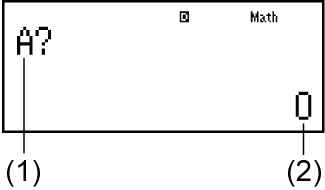
-
(1) Prompts for input of a value for A
(2) Current value of A
- 5
 10
10 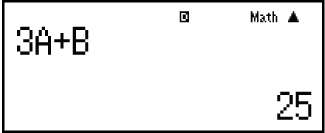
- (or )
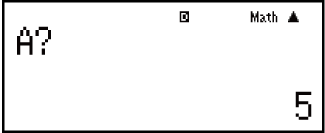
- 720
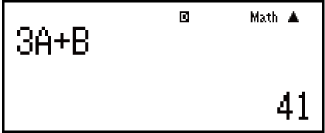
- To exit CALC:

Example 2: To store A+Bi and then determine √3 + i, 1 + √3i using polar coordinates (r∠θ) (Angle Unit: Deg)

 (CMPLX)
(A)(B) (i)
(i)
 (CMPLX)
 (
( r∠θ)
r∠θ)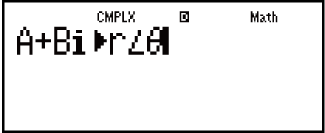
 3
3 1
1- 2∠30
- (or ) 13
- 2∠60
- To exit CALC:
Note
During the time from when you press until you exit CALC by pressing , you should use Linear Display input procedures for input.