Metric Conversion
The calculator's built-in metric conversion commands make it simple to convert values from one unit to another. You can use the metric conversion commands in any calculation mode except for BASE-N and TABLE.
To input a metric conversion command into a calculation, press 
 (CONV) and then input the two-digit number that corresponds to the command you want.
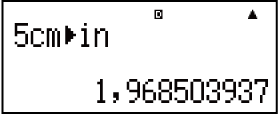
Example 1: To convert 5 cm into inches (LineIO)
 5(CONV)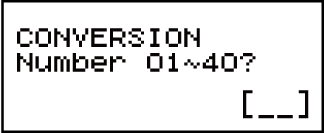

 (cm
(cm in)
in)
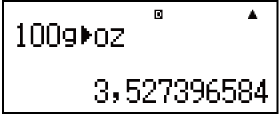
Example 2: To convert 100 g into ounces (LineIO)
- 100(CONV)(goz)
Example 3: To convert -31°C into Fahrenheit (LineIO)
 31(CONV)
 (°C°F)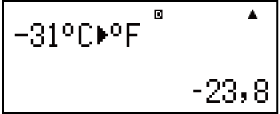
The following shows the two-digit numbers for each of the metric conversion commands.
| 01: incm |
02: cmin |
03: ftm |
04: mft |
| 05: ydm |
06: myd |
07: milekm |
08: kmmile |
| 09: n milem |
10: mn mile |
11: acrem2 |
12: m2acre |
| 13: gal (US)ℓ |
14: ℓgal (US) |
15: gal (UK)ℓ |
16: ℓgal (UK) |
| 17: pckm |
18: kmpc |
19: km/hm/s |
20: m/skm/h |
| 21: ozg |
22: goz |
23: lbkg |
24: kglb |
| 25: atmPa |
26: Paatm |
27: mmHgPa |
28: PammHg |
| 29: hpkW |
30: kWhp |
31: kgf/cm2Pa |
32: Pakgf/cm2 |
| 33: kgf • mJ |
34: Jkgf • m |
35: lbf/in2kPa |
36: kPalbf/in2 |
| 37: °F°C |
38: °C°F |
39: Jcal |
40: calJ |
Conversion formula data is based on the "NIST Special Publication 811 (2008)".
Note
The Jcal command performs conversion for values at a temperature of 15°C.