Changing the Display Format of Calculation Results (FORMAT Menu)
Pressing 
 (
( )* displays the FORMAT menu, which you can use to change the display format of calculation results.
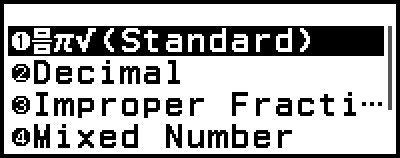
* When "
 Decimal" (initial default) is selected for the FORMAT Key setting on the SETTINGS menu. If "Format Menu" is selected for the FORMAT Key setting, press .
FORMAT Menu List
| This menu item: | Converts to this format: |
|---|---|
| (Standard) |
Standard (Includes fraction, π, √ formats.) |
| Decimal | Decimal |
| Prime Factor | Prime factorization |
| Recurring Decimal | Recurring decimal |
| Improper Fraction | Improper fraction |
| Mixed Number | Mixed number |
| Standard Form | a×10n |
| Sexagesimal | Degree, minute, second (Sexagesimal) |
Note
The menu items that appear when () is pressed depend on the currently displayed calculation result. Also, if a calculation result that cannot be converted is displayed, the menu will not appear when you press ().
Conversion Sample Operation
Example: 3 ÷ 2 = 32 = 1.5 = 1 12
In this example, we will convert a calculation result displayed as an improper fraction to a decimal value and then to a mixed number. Finally, we will cancel the conversion and go back to the original calculation result.
(Input/Output: MathI/MathO, Fraction Result: Improp Fraction)
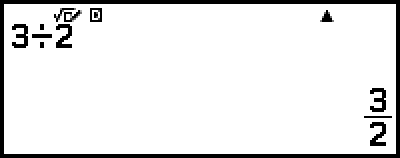
1. Execute the calculation 3 ÷ 2.
- 3
 2
2
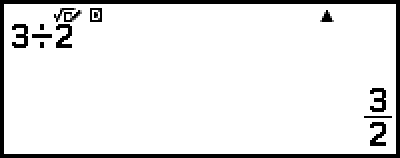
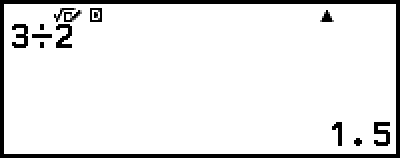
2. To convert the calculation result to a decimal value, press (), select [Decimal], and then press .
3. To convert the calculation result to a mixed number, press (), select [Mixed Number], and then press .
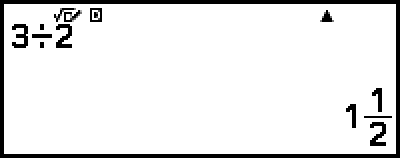
4. To cancel conversion, press .
This displays the original calculation result from step 1.