LABEL DESIGN MAKER (for Mac)
- Q6
- How do I select or directly input the access point in the Client Mode?
- A6
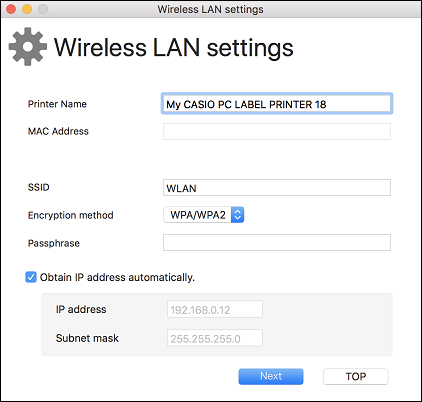
(1) Connect the printer to your computer using a USB cable. (2) On the menu bar, click "Settings" and then select "Wireless LAN settings". (3) Select the printer you want to connect. (4) Click "Select connect device", select the access point or click "Enter the network name (SSID) manually". 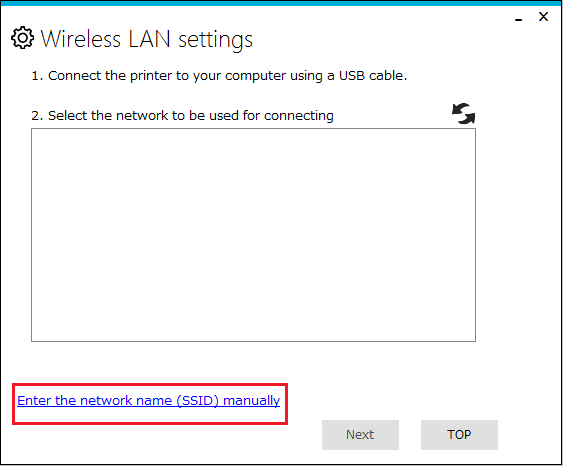
(5) Configure the settings of each item. Printer name : 1 to 31 characters, single-byte characters only. Channel : 1 to 13(Initial value 11) SSID : Shows the wireless LAN connection device. 1 to 32 single-byte ASCII characters. Space is not allowed as the first character. Encryption method : none,WPA/WPA2 Passphrase : 8 to 63 single-bye ASCII characters (6) Click "Next" to exit settings. (7) When a connection is established, the printer’s wireless LAN lamp lights green.