

LABEL DESIGN MAKER (for Mac)
- Q4
- The "Access Denied (authentication_failed) " error message is displayed.
- A4
An Internet environment is required to use LABEL DESIGN MAKER. If your Internet environment uses a proxy server that requires a user name and password for verification, you will need to pre-configure verification settings. (1) Click "Create a new label". (2) On the menu bar, click "Settings" and then select "Authentication settings". 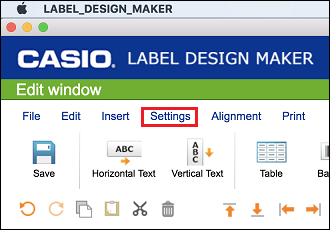
(3) After inputting the verification user name and password, click the [OK] button. (4) Restart LABEL DESIGN MAKER.