LABEL DESIGN MAKER (for Mac)
- Q23
- When converting a color image to monochrome, can dithering and gamma be adjusted?
- A23
Dithering and gamma can be adjusted. (1) Click the "Print/Print preview" button to display the Print Preview dialog box. (2) Click the "Properties" in the lower right corner to display the Print Settings dialog box. 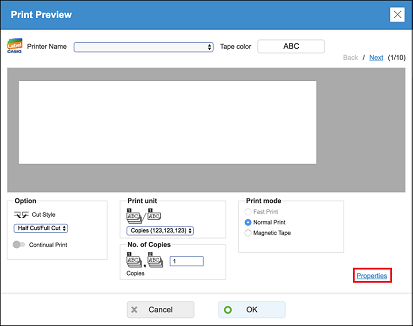
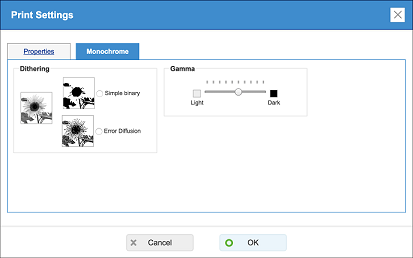
(3) Click the "Monochrome" tab. Select "Simple binary" or "Error Diffusion". You can drag the Gamma slider to adjust the density of the inserted image.