LABEL DESIGN MAKER (for Windows)
- Q35
- I am having problems with re-positioning or re-sizing print elements.
- A35
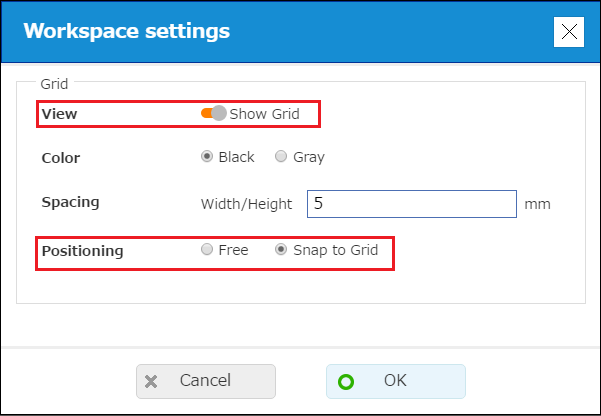
On "Workspace settings", selecting the "Show grid" and "Snap to Grid" options will display gridlines and cause elements to snap to the grid when they are inserted into the label or repositioned. With this configuration, you may experience problems re-positioning or re-sizing elements if the "Spacing" value is too large.As a general rule, use of a "Spacing" value of 10 mm or less is recommended.
• On the menu bar, click "Settings" and then select "Workspace settings".