LABEL DESIGN MAKER (for Windows)
- Q25
- When printing an image, some areas that should be dark are white.
- A25
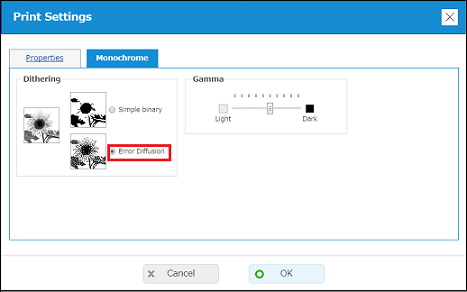
Select "Error Diffusion". Produces an image similar to that of a copy machine. (1) Click the "Print/Print preview" button to display the Print Preview dialog box. (2) Click the "Properties" in the lower right corner to display the Print Settings dialog box. 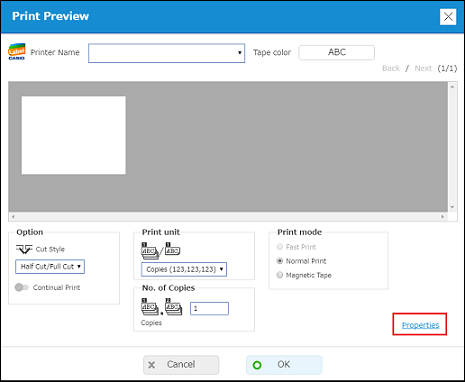
(3) Click the "Monochrome" tab. Select "Error Diffusion". You can drag the Gamma slider to adjust the density of the inserted image.